


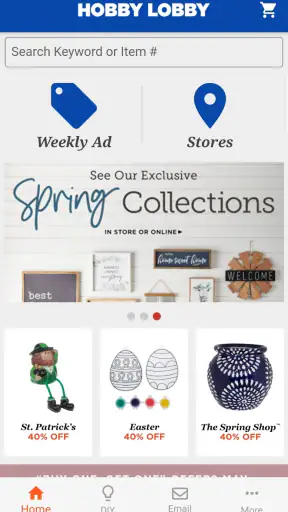
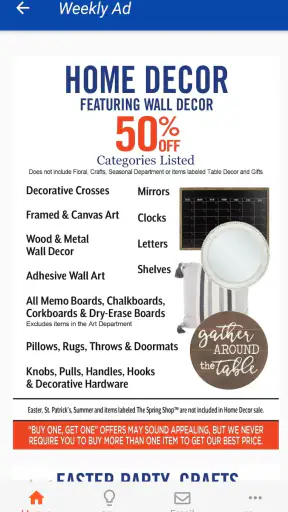
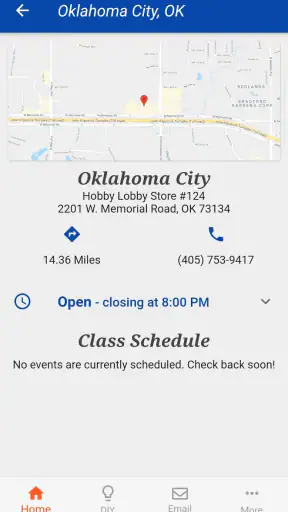
Hobby Lobby Stores is the kind of lifestyle app I would keep installed when a craft project is already forming in my head and I want the store to stay close at hand. Its main appeal is simple: it puts Hobby Lobby’s shopping experience on a phone instead of making me start with a browser search or drive to a store just to check what might be available. That sounds modest, but it can make a real difference when a project depends on several small supplies.
I tested it with the mindset of someone planning a home craft rather than casually browsing. The app is free, aimed at everyone, and developed by Hobby Lobby Stores, Inc. It has been around since November 9, 2012, and the current version is 3.0.19, so this is not a new experiment from the retailer. It is an established companion for people who already shop at Hobby Lobby or want a more direct way to explore its range of craft, décor, fabric, seasonal, and hobby products.
My overall impression is positive but practical. This is not an independent project planner, a design studio, or a replacement for a specialist crafting community. Its value comes from connecting inspiration with a retailer’s catalog and shopping routine. If that is what you need, the app can save time. If you want detailed tutorials, deep product comparisons, or a broad marketplace beyond Hobby Lobby, you will probably need another tool beside it.
Keeping a Hobby Lobby shopping trip within reach
The capability that matters most
The most useful capability is having Hobby Lobby available while I am away from a desktop computer. Instead of treating the store as a place I visit only after deciding exactly what to buy, the app makes it easier to browse while I am thinking through a project. I can use it during a quiet moment, while making a list, or just before leaving home to refresh my memory about the supplies I need.
That mobile access changes the order of a typical craft-shopping task. I might begin with a vague idea such as decorating a shelf, repairing a wreath, preparing a seasonal display, or finding materials for a child’s activity. From there, browsing helps turn the idea into a more concrete shopping plan. I can look through relevant merchandise, compare the visual style of items, and decide whether the project is realistic before spending time in the store.
The app works best as a bridge between an idea and a store visit. That is more specific than simply saying it is convenient. It does not magically organize every project, but it reduces the small amount of friction involved in remembering what to look for and where to begin. For regular Hobby Lobby customers, that focused purpose is a strength because the app does not need to persuade me to use a completely unfamiliar shopping system.
The retailer’s broad identity also matters here. A person shopping for fabric may move into notions, thread, trim, or storage. Someone looking at home décor may suddenly need a frame, artificial greenery, paint, or seasonal accents. The app is most helpful when a project crosses those boundaries and I want to explore possibilities without walking through every department first.
What browsing feels like in everyday use
I found the experience easier to understand when I approached it with a specific question rather than opening it with no plan. “What can I use for this project?” is a productive starting point. “Show me something interesting” is less useful because a retailer’s app can quickly become a large collection of choices. Having a rough color, material, room, holiday, or project purpose in mind makes the browsing more manageable.
For example, imagine I want to refresh a small entryway display. I could use the app to explore décor pieces, then shift toward frames, seasonal objects, or craft materials if the first idea feels too expensive or too complicated. The benefit is not only finding one item. It is seeing alternatives within the same shopping environment and deciding whether I should build the display from ready-made pieces or make part of it myself.
This is where the app feels different from a general search engine. A web search may show inspiration from many retailers, blogs, and social platforms, but it can also send me in several directions at once. Hobby Lobby Stores keeps the search tied to one retailer. That limits the range, yet it also makes the next action clearer: identify the item or category, make a note of it, and continue planning a Hobby Lobby trip.
I would still use a regular browser when I need a wide comparison across stores. For example, if I am looking for a specialized tool, a particular brand, or the lowest price available, a retailer-specific app is naturally narrower. The advantage here is focus, not universal coverage.
A realistic project-planning routine
My preferred routine is to open the app before I leave home, browse the main categories connected to the project, and write down the items that seem essential. I then separate those from optional decorations. That small distinction prevents a common craft-shopping problem: buying attractive extras before confirming that the basic project can actually be completed.
Suppose I am preparing a handmade centerpiece for a family gathering. I might first identify the container or base, then look for filler materials, ribbon, paint, or seasonal accents. If the finished idea begins to require too many unrelated supplies, I can simplify it while I am still at home. The app therefore helps with decision-making, not just product discovery.
A second useful habit is to use the app for visual memory. When I see a product that fits the project, I can remember its appearance more easily than I would from a handwritten description such as “small gold decoration.” That matters when several items look similar in a large store. I would not rely on memory alone for every detail, but the app gives me a reference point while shopping.
A third tip is to browse early for seasonal work. Crafting plans often arrive close to a holiday or event, when I am already short on time. Looking through the app before the final rush helps me decide whether I want a quick decorative solution or a more involved handmade one. It also keeps the project from becoming an open-ended search through multiple departments.
The best scenario for using it
The strongest scenario is a planned Hobby Lobby visit where I have a visual goal but not yet a complete materials list. This could be a weekend craft, a room refresh, a gift presentation, a school project, or seasonal decorating. In that situation, the app has a clear job: help me narrow the idea, identify likely supplies, and arrive at the store with fewer decisions left to make.
It is especially useful for mixed projects. If I need a frame, decorative paper, adhesive, and finishing elements, a single retailer-focused app is more convenient than searching each item separately across unrelated websites. Even when I do not buy every item I first consider, seeing the available styles together helps me judge whether the project will look cohesive.
I can also see value for a parent planning a rainy-day activity. Rather than searching the entire internet for craft inspiration, the parent can begin with materials that are familiar and available through Hobby Lobby, then choose a manageable project. The app does not replace supervision or instructions, but it can shorten the preparation stage and make the shopping list less vague.
Another good use is last-minute gift preparation. If I need a decorative box, wrapping detail, frame, or small handmade element, browsing on the phone can help me assemble a presentable idea quickly. The important word is “assemble.” I would not expect the app to design the gift for me, but it can make the store’s range easier to navigate when time is limited.
Where the convenience has limits
The app’s narrow focus is also its main trade-off. It is designed around Hobby Lobby, so I would not install it expecting a neutral comparison service. If I want to know whether another retailer carries a similar item for less, I need to leave the app and do that research separately. For a shopper who always compares several stores, this extra step may outweigh the convenience.
There is also a difference between browsing an item and confidently planning around it. A product can look right on a phone and still be unsuitable once I consider its size, texture, color in the room, or relationship to the other materials. I treat the app as a planning aid, not as a substitute for inspecting craft supplies in person. This is particularly important for fabric, finishes, and décor where appearance can change under different lighting.
Another limitation is that retailer browsing can encourage impulse purchases. A project that begins with one practical need can become a long list of decorative possibilities. I recommend deciding on a budget and marking the essential items mentally before opening the app. That keeps the convenience from turning into unnecessary shopping.
I would also avoid assuming that a phone-based product view answers every store-level question. When the exact shelf location, current availability, or a specific variation matters, I prefer confirming directly through the retailer’s current shopping information or with store staff. The app is valuable for narrowing the search, but a real store visit still involves details that a screen cannot fully replace.
Compared with social media, the app is less inspiring but more actionable. Social platforms are better when I want tutorials, finished examples, or ideas from other makers. Compared with a general marketplace, it is less broad but more coherent for a Hobby Lobby shopping trip. Compared with a paper list, it offers visual context, though a handwritten list can still be faster once I know exactly what I need.
Who benefits most from the focused approach
Regular Hobby Lobby customers gain the most because the app fits an existing habit. If I already shop there for craft supplies, home accents, fabric, or seasonal materials, keeping the retailer on my phone makes planning feel more continuous. I can move from inspiration to browsing without opening several unrelated services.
Occasional shoppers can benefit too, especially when they are preparing for a specific event. The app is worth trying when I need to understand the kinds of supplies available before committing to a project. It is less compelling if I only visit the store once and already have a precise list with no need to browse.
Beginners may appreciate the visual starting point, but I would encourage them to keep their first project small. A large craft store can offer more possibilities than a new maker needs. Choosing one finished object, one color direction, and a short materials list makes the app more useful and reduces the chance of buying supplies that never leave the drawer.
Experienced crafters may find it most useful during the planning and substitution stages. If a preferred material is not part of the plan, browsing related categories can suggest a different finish or decorative approach. The app will not replace a specialist supplier for advanced or highly technical work, but it can be convenient for everyday projects and home décor.
On the other hand, I would skip it if my priority is independent reviews, detailed specifications, community advice, or cross-store price hunting. I would also choose a dedicated tutorial platform when I need step-by-step instruction. This app is a retailer companion, and judging it by that role leads to a fairer expectation.
Practical details before installing
Hobby Lobby Stores is available at no cost and carries an Everyone content rating, making it approachable for a broad household audience. Its scale is substantial, with over five million installs and an average rating of 3.3 from around fifteen thousand ratings. I read that rating as a sign that the app is useful to many shoppers but not universally smooth or satisfying.
The developer is Hobby Lobby Stores, Inc., which gives the app a direct connection to the retailer rather than making it a third-party shopping guide. It requires at least iOS or Android version 8.1, so anyone using a much older device should check compatibility before relying on it for a shopping trip. Those practical details matter more than they might seem if the phone is an older family device.
One point I would keep in mind is that the app’s value depends on how often I shop at Hobby Lobby and how much I benefit from browsing before a visit. Free installation removes the financial barrier, but it does not automatically make the app necessary. The right question is whether mobile access will improve my particular shopping routine.
My recommendation after using it
I recommend Hobby Lobby Stores to people who want a straightforward way to keep Hobby Lobby’s craft and lifestyle shopping experience nearby. Its best quality is not an elaborate feature set; it is the way it supports a real planning moment. When I have a project in mind but need help turning it into a practical store visit, the app gives me a focused place to begin.
I would use it before shopping, not as my only source of creative guidance. Start with a concrete project, separate essential supplies from tempting extras, and use the product browsing to shape a realistic list. For seasonal decorating, mixed craft projects, and quick gift preparation, that workflow can save time and reduce aimless wandering.
My final view is that this is a useful specialist shopping companion rather than an all-purpose crafting app. The best reason to install it is the connection between mobile browsing and a planned Hobby Lobby trip. If that connection matches your habits, the free app is easy to justify. If you need broad comparisons, advanced instruction, or a community of makers, pair it with another service or choose a different option altogether.


